
[CLOSED] Cherry Bullet Badge Submissions
-
-
 Display More
image (6).png forum.allkpop.com/suite/attachment/215628/ image (8).png forum.allkpop.com/suite/attachment/215630/ image (10).png
image (1).png image (2).png forum.allkpop.com/suite/attachment/215621/ forum.allkpop.com/suite/attachment/215622/ forum.allkpop.com/suite/attachment/215625/
MAY
image (16).png image (17).png forum.allkpop.com/suite/attachment/215648/ forum.allkpop.com/suite/attachment/215650/ forum.allkpop.com/suite/attachment/215651/
Not to overstep or be rude at all, and I know you didn’t mention this, but if you would like to remove the red side arrows on Jiwon and May’s, without cropping the picture too much, there is a way to do it that’s pretty simple and only takes a minute. Of course you don’t have to at all, they’re your badges and it probably won’t be that much of a bother to most people, but I just figured (based on still learning how to fix saturation) you might not know, so I could tell you. Once again, sorry for all this. Feel free to ignore this, just wanted to politely let you know in case you care.
-
You will need to get the original photos back up, and adjust them this is what I used to use before I got Photoshop, only hit the sharpen option once and it will be enough
 https://pixlr.com/e/
Okay, will try to redo some ASAP.
-
Not to overstep or be rude at all, and I know you didn’t mention this, but if you would like to remove the red side arrows on Jiwon and May’s, without cropping the picture too much, there is a way to do it that’s pretty simple and only takes a minute. Of course you don’t have to at all, they’re your badges and it probably won’t be that much of a bother to most people, but I just figured (based on still learning how to fix saturation) you might not know, so I could tell you. Once again, sorry for all this. Feel free to ignore this, just wanted to politely let you know in case you care.
No worries, I'll try.

Those arrows are really there and the pictures are cropped already.
-
I believe you, I saw the pictures before. Anyway, what you do is go to this website (it's free and actually works, no worries):
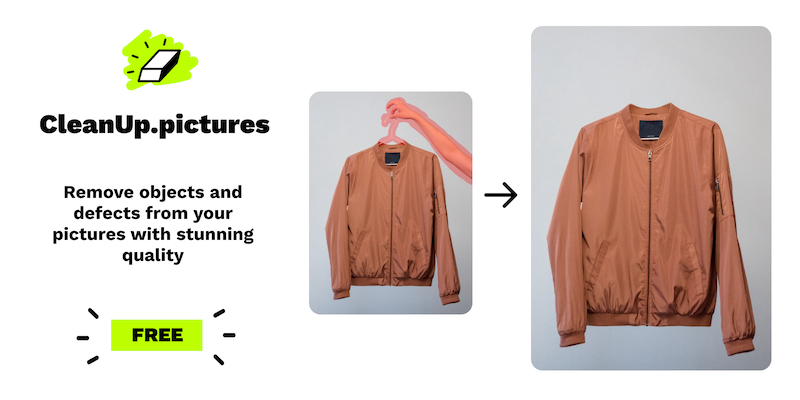 Cleanup.pictures - Remove objects, people, text and defects from any picture for freeRemove objects, people, text and defects from any picture for free. Create a clean background for a product picture 📸, re-design any items 👠, fill up some…cleanup.pictures
And then upload one of the pictures where you want to remove and object from it. Click and drag it until the object is covered in neon green. Wait a few seconds and it should be gone, leaving the idols untouched. Then click the download button in the top right corner and you're good to go! Hope that helps! It should be super easy to do and only take a minute.
-
-
-
Display More
kpopace26's submissions:
image (1).png image (34).png image (14).png image (15).png image (16).png
image.png image (27).png image (28).png image (29).png image (2).png
image (3).png image (12).png image (4).png image (14).png image (15).png
image (21).png image (22).png image (23).png image (24).png image (5).png
added!
-
crystalblues
Changed the title of the thread from “[OPEN] Cherry Bullet Badge Submissions” to “[CLOSED] Cherry Bullet Badge Submissions”. -

Moderator
Moved the thread from forum Badges to forum The Graveyard.


Participate now!
Don’t have an account yet? Register yourself now and be a part of our community!